Everything you need to
run learning online.
From authoring a course to issuing the certificate — ELP covers the whole journey, for every role.
Build a course from
four kinds of lessons.
Instructors assemble video, text, PDF, and quiz lessons into a single learning path.
Video lessons
Stream video content. Playback resumes automatically at the exact position each learner last reached.
Text lessons
Write rich, readable lessons for concepts, instructions, and reference material — no formatting fuss.
PDF lessons
Attach documents and slide decks. Learners open and study them inline, right inside the course.
Quiz lessons
Test understanding with single-choice and multiple-choice questions, scored instantly on submission.
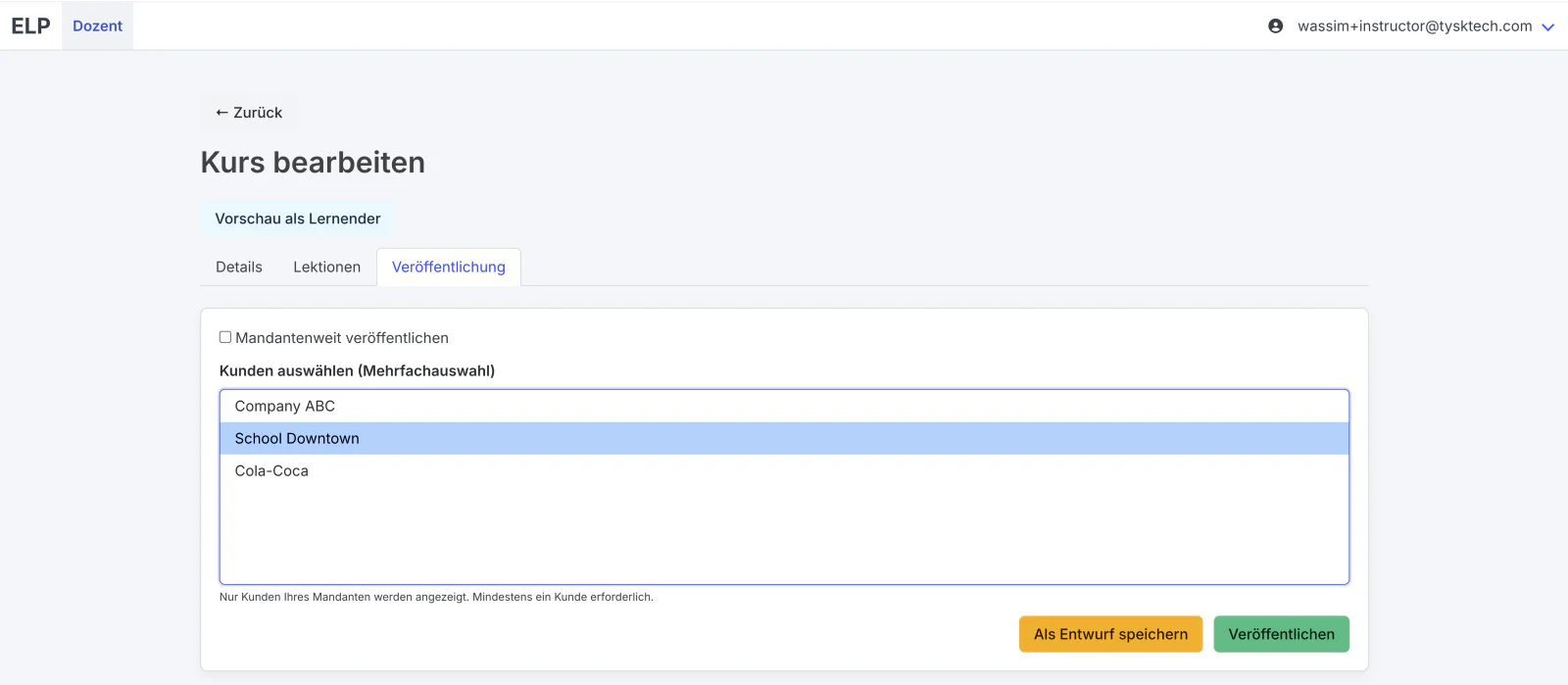
Draft in private.
Publish when ready.
Courses stay in Draft and hidden from learners until you publish. Once live, assign them exactly where they belong:
Made for how
people actually learn.
Self-paced, saved automatically, and available on any device with a browser.
At their own pace
Learners move through courses whenever it suits them — no schedules, no deadlines imposed by the tool.
Pick up where they left off
Progress saves automatically. Return anytime and continue — videos even resume at the last position.
Any device, no installs
Works in Chrome, Firefox, Edge, and Safari on desktop, laptop, or tablet. No plugins required.
Tracked automatically.
Completion is calculated as a live percentage across a course's lessons — visible on the learner's dashboard and to their admins, in real time.
Generated at 100%.
Finish every lesson and ELP produces a PDF certificate automatically — with the learner's name, course, completion date, issuing organization, and a unique certificate ID.
Five roles. Clear lines.
Everyone sees exactly what they need — from system administration down to the individual learner.
Back Office
Creates and manages tenants across the system.
Tenant Admin
Creates customers, invites instructors, sets limits.
Customer Admin
Invites learners and additional admins, manages users.
Instructor
Creates and publishes courses with lessons.
Learner
Takes courses, completes lessons, earns certificates.
Onboarding is invitation-based: new users get an email with a temporary password and set their own on first sign-in. Password resets are self-service.
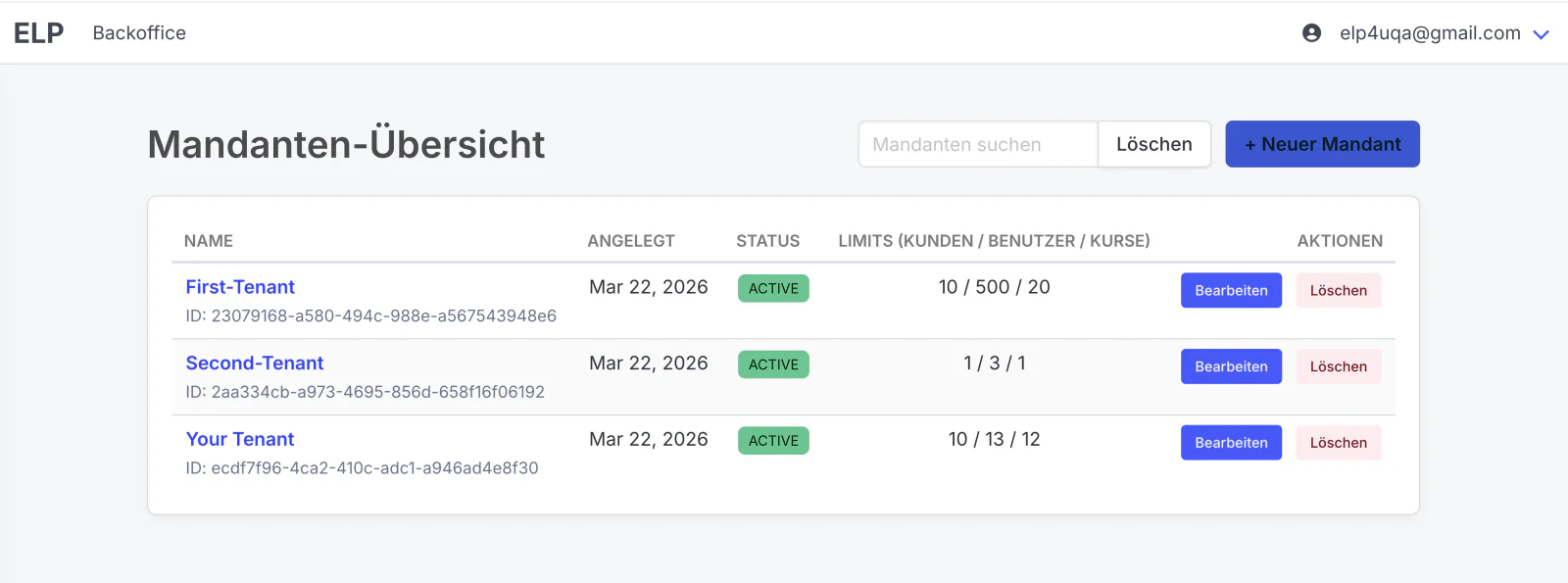
Many organizations,
one clean structure.
Each tenant is its own independent space, holding its customers, courses, and settings. Every customer manages its own learners — kept fully separate from the rest.
Tenant admins set configurable limits on users and courses per customer, so growth stays predictable.
See it on your
own content.
Start a free trial and build your first course this afternoon.
Frequently asked questions
How do I reset my password?
Use “Forgot your password?” on the sign-in page, or contact your administrator.
Which browsers are supported?
All current versions of Chrome, Firefox, Edge, and Safari are supported — no plugins required.
Can I resume a course later?
Yes. Progress saves automatically, and videos resume at the last position you watched.
How do I download my certificate?
Once you reach 100% progress, a “Download certificate” button appears on your dashboard. The certificate is a PDF.
Is there a user limit?
User limits are configurable per customer — your admin can raise them if needed.